
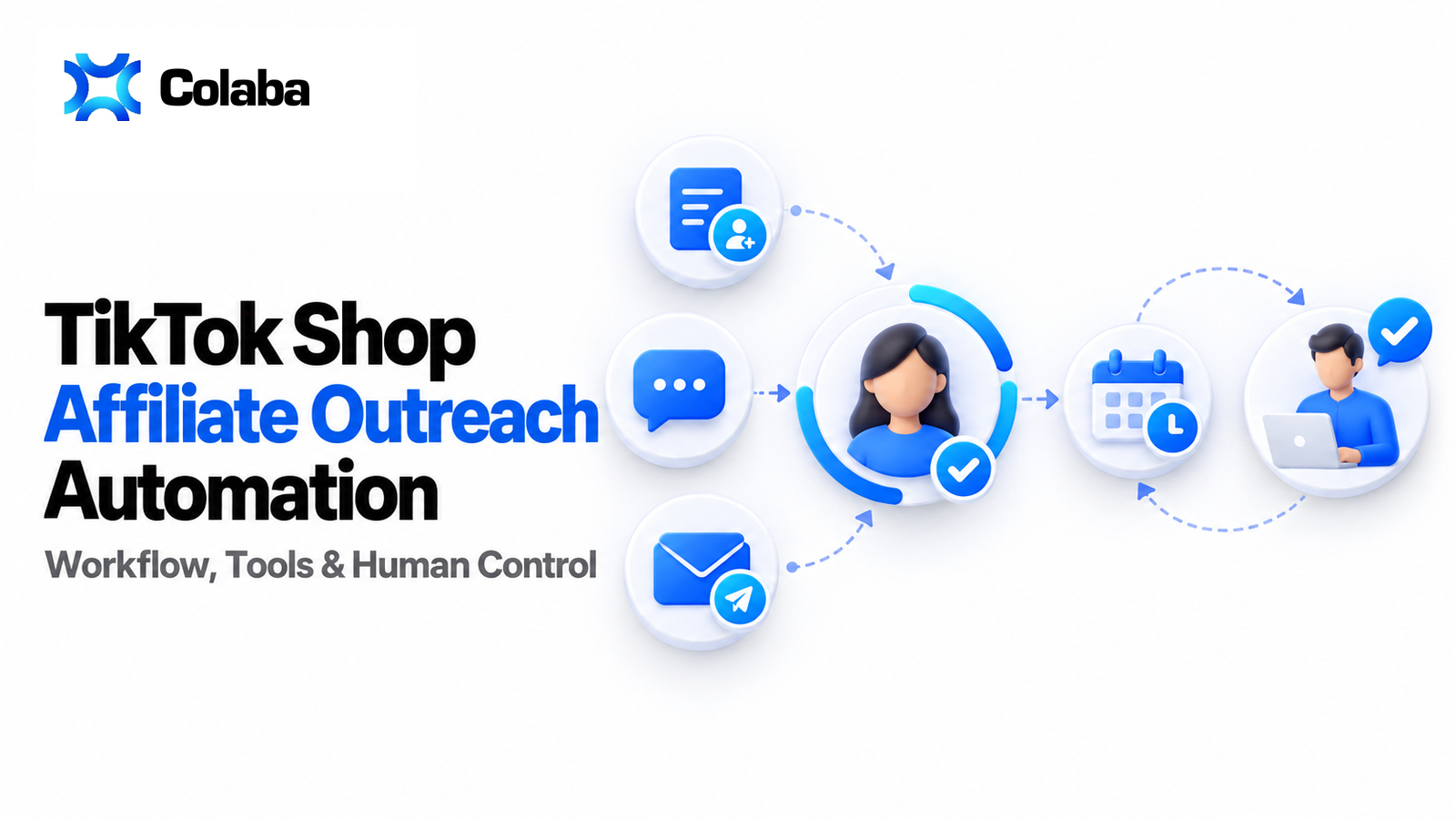
TikTok Shop affiliate outreach automation is the controlled use of filters, invitations, direct messages, email, reusable task settings, schedules, and performance review to contact more relevant creators without making a specialist repeat every mechanical step. The operator still chooses the audience, offer, product, commission, message, cadence, and stop conditions. Automation executes the approved process and returns results for review.
That distinction matters. A high-volume “bot” that sends the same pitch to every available creator may increase activity while lowering relevance, exhausting invite capacity, and making the team’s data harder to interpret. A useful system connects creator selection to the outreach action, records what was sent, separates channel-specific outcomes, and gives a manager a clear point at which to adjust or stop the workflow.
This guide explains the operating model, metrics, controls, and software requirements behind automated TikTok Shop creator outreach. It also shows where native TikTok Shop tools end, where a dedicated operations layer can help, and why human review remains part of a scalable affiliate program.
Key Takeaways
Automate execution, not judgment
Let software repeat approved tasks while a specialist controls targeting, commercial terms, quality, and exceptions.
Design channels separately
TikTok invitations, direct messages, and email have different prerequisites, fields, limits, and success signals.
Measure the full funnel
Volume matters only when it connects to delivery, response, acceptance, samples, content, sales, and GMV.
Scale with feedback loops
Use small cohorts, documented versions, holdouts, and stop rules before increasing creator or shop coverage.
What TikTok Shop Affiliate Outreach Automation Means
TikTok Shop affiliate outreach automation is a repeatable operating system for moving a defined creator audience through one or more communication actions. It begins with a rule or selected list, applies an approved offer and message, executes through a supported channel, records delivery or platform outcomes, and returns the cohort to an operator for the next decision.
It is more specific than general influencer marketing automation. A TikTok Shop workflow can include a Target Collaboration invitation with product and commission terms, a TikTok direct message, an external email, sample settings, and later creator or sales outcomes. The system therefore needs commerce context as well as communication capability.
TikTok describes its Affiliate Center as the native place where sellers create and manage creator partnerships. TikTok also describes creator collaboration apps as third-party tools for sellers who need more advanced discovery, outreach, automation, segmentation, or integrations. That official distinction is useful: native records remain authoritative for platform permissions and collaboration events, while an operations platform can organize repeated work around them. See TikTok Shop’s overview of creator collaboration apps.
Approved audience
Creators selected through rules, a curated list, or an uploaded file, with a reason each creator belongs in the cohort.
Configured action
An invitation, message, or email with channel-specific content, terms, ownership, timing, and safety settings.
Observable result
Task status, sent or failed events, responses, accepted collaborations, posts, sales, or a documented lack of movement.
Automation is not the same as autonomous decision-making
An autonomous system claims to decide who should be contacted, what should be offered, what should be said, and how the program should react. A controlled automation system can be powerful without making that claim. It can preserve a specialist’s criteria in filters and templates, run scheduled actions, and surface results while leaving the consequential decisions with the team.
For agencies and mature brand teams, that separation is often an advantage. Client commitments, product margins, inventory, category restrictions, creator history, brand safety, and relationship context cannot be reduced to a universal “send” recommendation. The system should reduce manual repetition and make decisions auditable; it should not obscure who approved the decision.
| Workflow element | Good automation target | Keep under specialist control |
|---|---|---|
| Creator audience | Apply saved filters, exclusions, and list rules consistently. | Decide whether the criteria fit the current product, shop, and campaign risk. |
| Outreach action | Reuse an approved Invitation, Message, or Email configuration. | Approve the offer, commission, sample policy, claim language, and creator value proposition. |
| Timing | Run a template on defined days and times. | Set frequency, cooldown, quiet periods, launch windows, and stop conditions. |
| Execution monitoring | Record status and channel-specific outcomes in one operating view. | Investigate anomalies, complaints, weak delivery, or unexpected acceptance quality. |
| Optimization | Compare cohorts and message versions using consistent denominators. | Decide whether to change the audience, offer, message, budget, or product. |
Why teams look for an outreach bot
“Bot” is often shorthand for a system that can repeat invitations or messages at a cadence. The practical buyer intent is usually broader: teams want to avoid rebuilding the same audience, copying the same settings, sending from disconnected tools, and reconciling results manually. A better evaluation question is not “Does it have a bot?” but “Can it execute a controlled, reviewable workflow across the channels we actually use?”
This page owns that implementation question. It does not replace Colaba’s guide to why TikTok Shop creator outreach fails, which focuses on relevance and acceptance problems, or the dedicated guide to affiliate email outreach, which covers email infrastructure and deliverability.
The End-to-End TikTok Shop Outreach Automation Workflow
A scalable workflow has eight linked stages. Skipping a stage usually creates hidden manual work later: lists have no reason codes, messages have no version history, channel results use different denominators, or the team cannot explain why a creator received a particular offer.
1. Define the operational objective
Name the product, shop, creator type, desired action, time window, owner, and budget constraint. “Contact more creators” is not an objective. “Invite creators with recent category GMV to a 14-day product test and measure accepted collaboration rate” is.
2. Build a qualified audience
Use creator, audience, content, and commerce signals that match the product. Save the criteria and exclusions so the list can be regenerated and reviewed.
3. Choose the channel sequence
Decide whether the first action is a Target Collaboration invitation, a TikTok direct message, or email. Define when another channel is appropriate and when it would be redundant.
4. Configure the offer and message
Set product terms, commission, sample configuration, validity period, content expectation, and creator-facing message where the channel supports them. Preserve the approved version.
5. Launch a bounded cohort
Start with a size the team can inspect. Record the audience rule, task or template, launch date, shop, product, and owner before expanding.
6. Monitor execution
Check task status and the metrics available for that channel. Sent, failed, opened, accepted, posted, and GMV are not interchangeable events.
7. Route responses and exceptions
Assign replies, creator questions, sample decisions, stock conflicts, and high-value opportunities to a named specialist with a response standard.
8. Review the cohort and iterate
Compare outcomes with the right denominator, isolate one material change, update the approved configuration, and document why the next run differs.
Step 1: translate a growth goal into an operating brief
The brief should be short enough to use and precise enough to audit. Include the shop, products, creator eligibility, commercial terms, primary channel, fallback channel, launch window, daily or weekly capacity, response owner, sample budget, and primary success metric. If an agency manages several shops, each shop needs its own constraints even when the high-level template is shared.
Choose one primary outcome for the cohort. For a new product, it may be qualified acceptance or sample-to-content conversion. For a proven item, it may be activated creators or attributable GMV. A single cohort cannot be optimized simultaneously for the lowest cost, the highest response rate, the most content, and the highest GMV without explicit trade-offs.
Step 2: create a creator audience with a reason code
Follower count alone is a weak operating rule. Add signals that describe commercial fit and current activity: recent GMV, units sold, average or median views, category relevance, product history, posting activity, audience characteristics, and past brand collaboration where available. The purpose is not to create the narrowest possible list. It is to create a list whose inclusion logic can be explained.
Assign a reason code such as “recent category sales,” “rising views,” “proven adjacent product,” “existing relationship,” or “new creator test.” Reason codes let the team compare segments later. Without them, a blended response rate hides whether the program is working for one group and failing for another.
- Define positive criteria. State what must be true for a creator to enter the audience.
- Define exclusions. Remove previous opt-outs, unresolved issues, recent duplicate contacts, poor category fit, or unavailable regions.
- Freeze the cohort. Keep a snapshot or task record so the denominator does not change after launch.
- Record the data window. “Recent GMV” needs a period; “active” needs a date or posting condition.
Step 3: choose channels by job, not by feature count
A Target Collaboration invitation carries structured commercial terms. A direct message supports conversation and context. Email can support richer explanation and a workflow outside TikTok, provided sender setup and deliverability are managed. The channels can work together, but they should not be treated as three versions of the same action.
| Channel | Primary job | Configuration to control | Useful outcomes |
|---|---|---|---|
| Target Collaboration invitation | Present a structured product collaboration and its commercial terms. | Product, commission, optional sample settings, validity, content type, message, and approval mode where applicable. | Executed invitation, acceptance, later sample or content progression, and commercial results. |
| TikTok direct message | Start or continue a creator conversation in the platform context. | Product reference, title, concise message, owner, and appropriate follow-up condition. | Executed message, creator response, question, interest, or next action. |
| Send a fuller proposition through an external sender. | Sender, subject, body template, personalization, daily limit, cooldown, audience, and follow-up plan. | Recipients, sent, opened, failed, pending, and recipient-level send/open information where available. |
TikTok’s current guidance also shows that seller-creator chat can be initiated in contexts such as sharing a product through a targeted plan or managing a sample request. That reinforces the need to preserve context rather than sending disconnected messages. See TikTok Shop’s guide to messaging and chatting with creators.
Step 7: connect outreach to the downstream creator lifecycle
An accepted invitation is not the final outcome. The collaboration may move into a sample request, approval, fulfillment, content production, posting, sales, and repeat activation. Define the handoff from outreach to operations before launch. Otherwise the team improves the top of the funnel while losing visibility after acceptance.
Keep sample approval concepts separate. A configured auto/manual approval mode associated with an invitation is different from a pending request that requires operational review. Follow-up automation around a sample status is also different from approval. In Colaba’s current workflow, pending review decisions are performed through the TikTok interface; Colaba should not be described as an autonomous AI sample-approval engine.
Step 8: change one major variable at a time
If the audience, product, commission, message, channel, and timing all change together, a better result cannot be attributed to a specific decision. Keep a simple experiment log: version, date, cohort rule, material change, primary metric, result, qualitative feedback, and decision. That log becomes more valuable as employee or client ownership changes.
Metrics and Formulas for Automated Affiliate Outreach
Outreach reporting fails when every percentage is called a response rate. Define the event and denominator before comparing channels or cohorts. The metric set should follow the creator from eligibility to commercial outcome while preserving channel-specific details.
The frozen number of eligible creators in the launched cohort.
Successfully executed or delivered outreach, defined by channel.
Creators who post eligible content or generate the defined activation event.
Sales results measured inside a stated attribution and maturity window.
Core outreach funnel formulas
Use execution rate to identify technical, permission, sender, or configuration problems. For email, “sent” and “delivered” may not be identical depending on available events. For TikTok actions, use the status the platform or connected workflow actually exposes rather than importing email terminology.
Define a valid response. A reply, an accepted collaboration, and a sample request can represent different behaviors. If the channel does not expose a reliable delivered event, state the denominator used and do not compare it directly with email delivery.
Only invitations with complete, valid terms should enter the denominator. Separate expired, canceled, duplicate, or technically failed actions. Compare like products and offer structures where possible.
Set a maturity window. A creator contacted yesterday should not be judged against a creator whose sample arrived four weeks ago. Cohort reporting should anchor on contact date, acceptance date, or delivery date depending on the question.
This connects top-of-funnel scale to commercial yield. It can decline when teams broaden targeting, even while total GMV rises. Review both the total and per-creator value.
Include software, operator time, product cost, shipping, and paid creator fees when they are material to the decision. Label the cost basis so finance and growth teams do not compare incompatible versions.
Use a cohort ledger, not only a dashboard total
Dashboard totals answer “what happened overall?” A cohort ledger answers “which decision produced it?” At minimum, preserve shop, product, audience version, task or template, channel, message version, commercial terms, creator ID, outreach date, owner, status, and outcome window. Add sample and content identifiers when those stages matter.
For multi-touch sequences, choose attribution rules before reporting. You can credit the first touch, last touch, accepted invitation, or a shared sequence. Each model answers a different question. The important step is to keep the rule stable during a test and disclose it in the report.
Diagnose the bottleneck before changing volume
| Observed pattern | Likely layer to inspect | First controlled test |
|---|---|---|
| Low execution or high failure | Permissions, sender, task configuration, invalid recipients, or capacity | Run a small known-valid cohort and inspect failure reasons. |
| Healthy execution, weak response | Audience relevance, message, timing, or channel choice | Keep the offer fixed and test one audience or message variable. |
| Responses but low acceptance | Product appeal, commission, sample availability, or unclear terms | Review objections and test one commercial change. |
| Acceptance but little content | Sample fulfillment, expectation setting, follow-up, or creator reliability | Segment by sample/content status and introduce defined follow-up checkpoints. |
| Content but weak sales | Creator-product fit, creative quality, offer, price, page conversion, or attribution | Compare product and creator cohorts using mature content windows. |
| Sales but poor contribution | Commission, product cost, shipping, samples, refunds, or operator cost | Add contribution economics before expanding the same program. |
Human Controls, Quality Assurance, and Safe Scaling
The goal is not the largest possible send volume. The goal is a repeatable process that preserves relevance, brand standards, operational capacity, and trustworthy measurement. A useful automation system makes controls visible and gives specialists clear intervention points.
Audience control
Require a saved rule, exclusion list, owner, reason code, and review date. Sample creators from every cohort before launch.
Offer control
Approve product, commission, sample terms, validity, and claims. Do not allow a generic template to carry obsolete commercial settings.
Communication control
Use channel-specific copy, a version label, escalation owner, and stop language. Avoid pretending a mass action is a personal conversation.
Capacity control
Limit daily volume to the team’s ability to answer, review samples, fulfill products, and manage exceptions.
Data control
Freeze denominators, define events, preserve IDs, separate source systems, and document attribution and maturity windows.
Client control
For agencies, preserve permissions, shop boundaries, approved assets, commercial terms, reporting, and owner accountability.
Pre-launch checklist
- The campaign has one primary operational objective and one primary metric.
- The audience rule and exclusions are saved, dated, and reviewed by an owner.
- The shop, product, inventory, commission, sample terms, and validity period are current.
- The message accurately represents the offer and avoids unsupported claims or false personalization.
- The channel prerequisites and sender or bot connection are active.
- Cooldown, recurrence, daily volume, duplicate suppression, and stop conditions are defined.
- Replies, objections, sample questions, and high-priority creators have named owners.
- The cohort, template, task, date, and reporting window can be reconstructed later.
Stop conditions protect both performance and relationships
Pause a workflow when technical failure rises, inventory or terms change, the team cannot answer responses, the audience produces repeated mismatch signals, or creator complaints indicate a relevance problem. Do not wait for a weekly report if the process is creating immediate operational risk.
Use suppression rules for creators who opted out, recently received the same offer, already have an active relationship, are in a conflicting workflow, or should not receive the product. Deduplication is an operational requirement, not merely a database feature.
Scale in layers
First stabilize one audience, one offer, one channel, and one shop. Then expand recurrence. Next add a second channel or segment. Only after the team can trace outcomes should it scale across more products or client shops. Layered scaling protects the learning signal and prevents a small configuration problem from multiplying across the program.
- Prove relevance: a small qualified cohort understands and engages with the offer.
- Prove operations: the team can handle replies, samples, exceptions, and reporting.
- Prove economics: mature cohorts create content, sales, or GMV at an acceptable contribution level.
- Prove repeatability: a saved configuration produces comparable results across several runs.
- Expand scope: add products, segments, channels, shops, or client teams one controlled layer at a time.
Market observation: TikTok Shop’s own documentation now treats creator collaboration apps as a category for advanced discovery, outreach, automation, and segmentation. The category is moving beyond “send more messages.” Buyers should evaluate whether a tool connects execution to creator, sample, content, and commerce context while preserving platform-native records and human accountability.
How Colaba Supports Controlled Outreach Automation
Colaba is a TikTok Shop affiliate operations platform for sellers, brands, and agencies moving from repeated manual work to a structured automation layer. It does not need to replace the specialist to create value. It connects creator data, audience rules, channel-specific actions, reusable configurations, recurrence, execution monitoring, and downstream operations so a team can spend less time rebuilding the process.
1. Start with creator data and an explicit audience
Teams can work from Authors → Search, apply creator, audience, content, commerce, and history criteria, select specific creators, or use broader filter-based targeting in a Task workflow. Advanced conditions help define the audience more precisely than a generic follower threshold. The operator remains responsible for deciding which signals fit the product and campaign.
2. Choose a channel-specific Task
Colaba separates three primary actions: Invitation, Message, and Mailing. Invitation Tasks send a TikTok Shop Target Collaboration offer with relevant product and commercial configuration. Message Tasks send a TikTok direct message using their own fields. Mailing Tasks use a configured email Sender and email copy. The channels are not merged into one misleading “outreach” event.
3. Reuse approved configuration
Task Templates store reusable settings for Invitation, Message, or Email workflows. Schedules select a Template and define recurring days and time. The resulting execution appears as a Task that the team can monitor. This Template → Schedule → Task model turns a specialist’s approved process into repeatable execution without claiming that the system made the commercial decision.
4. Review channel-specific execution
The Tasks area records concrete runs and exposes fields or outcomes appropriate to the channel. Completed Mailing Tasks can show recipients, sent, opened, failed, pending, last open, and recipient-level sent/open information. Invitation and Message workflows should be evaluated using the statuses those actions actually produce, not email metrics copied onto every channel.
5. Continue into sample and creator operations
Colaba includes Pending and Approved Sample Request views, manual follow-up through Messages or Invitations, and separate status-based sample follow-up automation. Pending review and current approve/reject decisions remain TikTok-side. This is an important boundary: follow-up automation helps the team act on lifecycle status, but it is not presented as autonomous AI approval.
6. Keep agencies and large teams in control
The same operating model can be applied across connected shops while preserving product, audience, template, task, and reporting context. That makes Colaba relevant to agencies and in-house teams that want strict automation around repetitive work while specialists retain client, quality, and commercial control.
| Operating need | Colaba layer | Human checkpoint |
|---|---|---|
| Define a creator audience | Authors → Search, filters, advanced conditions, selected creators, or supported file-based input | Approve fit, exclusions, product context, and list quality. |
| Launch outreach | Invitation, Message, or Mailing Task | Approve offer, copy, sender or bot, and audience. |
| Repeat a process | Task Template plus Schedule | Approve recurrence, cooldown, review date, and stop rules. |
| Monitor execution | Tasks and channel-specific results | Investigate failures, replies, quality, and exceptions. |
| Follow sample lifecycle | Pending and Approved views plus sample-status follow-up automation | Review pending decisions in TikTok and own commercial or inventory exceptions. |
| Improve the program | Creator data, Statistics, task history, and downstream performance context | Choose the next controlled change and document the decision. |
For a broader view of the system around this workflow, read the TikTok Shop affiliate operations guide. To evaluate vendors and requirements before a demo, use the affiliate software buyer checklist.
Map your controlled outreach workflow in Colaba
See how filters, Invitation, Message, and Mailing Tasks, reusable Templates, recurring Schedules, and operator review can work as one repeatable process.
Frequently Asked Questions
What is TikTok Shop affiliate outreach automation?
TikTok Shop affiliate outreach automation is a controlled workflow that uses creator rules or lists, channel-specific invitations, messages or email, reusable configurations, schedules and execution monitoring to reduce repetitive work. A specialist still controls targeting, offers, quality, exceptions and optimization.
Is a TikTok Shop outreach bot the same as affiliate management software?
No. A bot usually describes the execution component that repeats an action. Affiliate management software can also include creator discovery, audience segmentation, templates, schedules, sample lifecycle operations, analytics, team controls and reporting. Evaluate the complete workflow rather than send volume alone.
Which TikTok Shop outreach channels can be automated?
A workflow may use TikTok Shop Target Collaboration invitations, TikTok direct messages and external email. Each channel has different prerequisites, fields and results, so teams should configure and measure them separately even when they belong to one creator sequence.
What should remain under human control?
Specialists should approve creator criteria, exclusions, product and commission terms, sample policy, message claims, cadence, budgets, exception handling and material workflow changes. Automation should execute and record an approved process rather than hide responsibility for those decisions.
How should automated affiliate outreach be measured?
Measure a defined funnel: eligible creators, successful execution or delivery, valid responses, accepted collaborations, sample and content progression, activated creators, orders and GMV. State the denominator, attribution rule and maturity window for every rate.
Does Colaba replace affiliate managers with AI?
No. Colaba is designed as an automation and operations layer for teams. It supports creator targeting, Invitation, Message and Mailing Tasks, reusable Templates, recurring Schedules, monitoring and sample follow-up while specialists retain control over targeting, commercial terms, quality and exceptions.
Can Colaba approve pending sample requests automatically?
Colaba supports sample lifecycle visibility and status-based follow-up automation, but current pending sample review decisions are performed through the TikTok interface. Sample follow-up automation should not be confused with autonomous AI approval.